


Editor's review
Application developers can now have the full control the video and audio stream with ease. You can perform the various functions like play, resume, stop, pause, or loop the stream and many others with minimum effort. X360 Video Player ActiveX OCX 2.2 software can help you to play with the media files in just about any other you wish. The features are difficult to use and you can even take the assistance of the help guide if you’re not able to understand any feature.
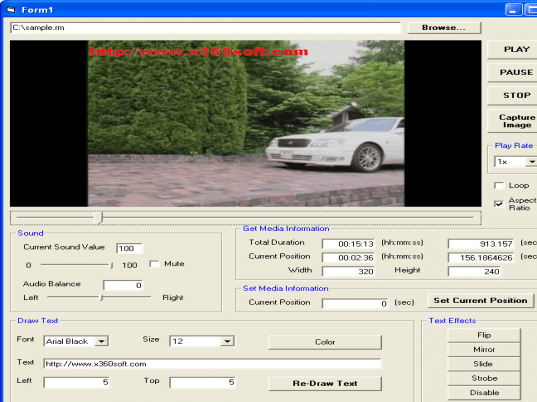
X360 Video Player ActiveX OCX 2.2 software may be a bit time taking to get downloaded but the installation is completed with few easy steps. You can do much with the videos, flip the videos and mirror them. It’s easy for you control the various features like the playback rate, volume and also you can set to mute or balance the audio. Want to make videos more fun you can insert text or draw something that would bitmap drawing. The program supports the bitmap that can be of different formats like GIF, BMP, JPEG, etc. When you’re watching the video then the text or drawn up image can set to be enabled or disabled to be displayed. The text won’t be looking odd as you can change font size, style and color of it. Make it more attractive by adding different effects like slide, strode, etc along with the speed adjustment. If you’re having a video of your outing then you can also capture your favorite moments. You can also get the media information like the duration, position, etc. The other information relating to the project is shown on the right side that shows the alphabetic and categorized features. You can get the video played to check the changes that you made to it. The detailed help guide is enriched with the information that is required for operating X360 Video Player ActiveX OCX 2.2.
X360 Video Player ActiveX OCX 2.2 software has been rated with the 4.5 points as it has various features that help you to modify the video file features according to your choice.
User comments