


Editor's review
When you need to extract data from IBM DB2 database tables, you need to perform a lot of copying-pasting task that usually is hectic and takes much time of DBAs. If you wish to get an apt solution for reducing your burden and carrying out the data exporting task efficiently, then you can give a try to Export Table to Text for DB2 1.05.02. The utility allows exporting your selected IBM DB2 table’s data into a text file effectively, and is compatible with delimited and fixed length formats. The program presents wizard interface for easy functioning, and supports working with various IBM DB2 versions.
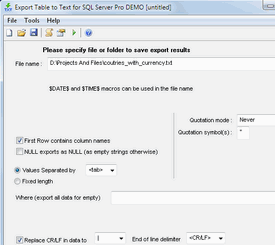
Export Table to Text for DB2 1.05.02 proficiently exports the selected table in text file. It presents an easy-to-navigate Wizard that helps in easily connecting and exporting the data. The first step of the process deals with connection settings, where you need to enter database Server or the data filename, User/Login, Password, and select additional attributes; database name, schema/owner name and transaction size. With the next step, you’re shown tables to select for database operation, and press ‘Next’. Further, you can preview data that is shown with various details. Using Database query feature you can enter database query or load from disk file. Moving further, you require specifying target table for the database operation, and set the data copy options, indexes copy option, identity support options, primary key name, etc. You can also select the columns, target file, object, and others. When you’re through with the selection process, just press ‘Run’ for the application to begin exporting the data to the text file.
Export Table to Text for DB2 1.05.02 supports DBAs to export data from selected table into the text files in a trouble-free manner. The utility is assigned with 4 rating points for the easily configurable settings, smooth functioning and proficient performance.
User comments