


Editor's review
Icons are, as you know, are pretty little things that show up on your desktop, in the start menu, in the task bar and elsewhere where there are references to applications that are represented by these icons. Icons may be stored in individual files, libraries and executable files. What if you want to extract an icon from an EXE file but do not know how? Use IconViewer.
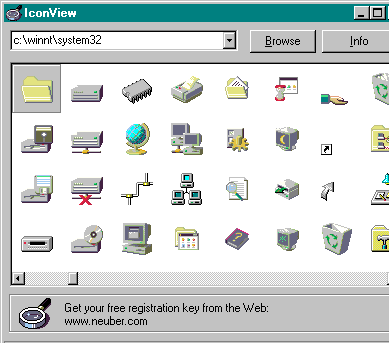
IconViewer is a Windows Explorer add-on that lets you view icons in the properties folder as well as extract and save them directly from a file to a separate destination. Just install it and it will run as part of the shell. To view and extract icons, click on the properties item in the context menu of a library or EXE file and switch to Icons tab. The rest is pure pleasure - pick an icon you like and save it to somewhere else.
The add-on is fast and efficient. The IconViewer tab appears only in the properties screen of files that contain at least one icon. Download it today and check it out yourself.
IconViewer is a Windows Explorer add-on that lets you view icons in the properties folder as well as extract and save them directly from a file to a separate destination. Just install it and it will run as part of the shell. To view and extract icons, click on the properties item in the context menu of a library or EXE file and switch to Icons tab. The rest is pure pleasure - pick an icon you like and save it to somewhere else.
The add-on is fast and efficient. The IconViewer tab appears only in the properties screen of files that contain at least one icon. Download it today and check it out yourself.
User comments