
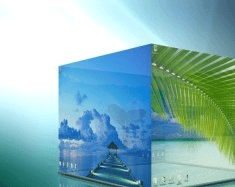
DeskSpace helps you eliminate clutter, become more efficient, and get organized by expanding your desktop space into 3D.
DeskSpace dramatically enhances your desktop experience, allowing you to:
* Work and play on multiple desktops.
* Display multiple desktops in stunning 3D.
* Quickly switch between desktops using the mouse and keyboard.
* Drag windows between desktops by moving them to the sides of the screen.
* Display desktops in 3D on multiple monitors.
* Configure the hot keys and mouse buttons used to switch between desktops, and how DeskSpace displays and manages desktop.
* Use DeskSpace in multiple languages.
Tired for dozen of icons on your desktop or Start menu? Try this simple but powerful Launch Bar to organize your shortcuts (applications, documents, l...
Tool that controls everything running on computer and provides Windows enhancements that help in every-day work
Monitor your system and replace Windo...
Discover how to perform any routine action in one click!
Stop typing the same text over and over again! Now you don't need to go through numerous men...
While working up with the computer system, we encounter repetitive problems like searching through several programs and folders to find the one we are...
Desktop panorama is an award-winning virtual desktop environment that uses the innovative concept of a linear virtual desktop. Unlike traditional virt...
Free Virtual Keyboard is software that simulates the hardware keyboard on the computer screen and adds some elegant features.
You can change size and...
When Windows starts up, it automatically launches a certain number of applications. Handy Startup Monitor allows you to manage those applications and ...
iAutoRun lets you run application automatically without login to Windows. Features:
1. Helps to run application without login.
2. Helps to run execu...
Now it is rather easy to schedule your applications to be launched after your PC is started. You can get the required applications launched while work...