
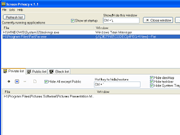
Screen Privacy allows you to hide and restore windows by pressing a secret key. It protects your privacy and prevent your information from being seen by anyone else. Screen Privacy allows you to work calmly and do not worry about uninvited visitors. While your application are hidden, they still work and you can show them at any time. You can cover browsers, spicy images, favorite games and other content that is not allowed at your work place.You can hide private windows or all windows, desktop icons, taskbar and system tray, stop WinAMP and more. Using of this program is invisible for another persons. You can select the list of private applications, list of public application and black list. Besides, you can terminate all black-list-application by single key stroke. You can customize your secret hot keys and work with your lists using drag and drop interface. This program is very easy to use. It will help you wherever you are. At home and at your office, you have a lot of private information on your computer like credit card numbers and more. Respect yourself, your personal information on the screen should be secured! Your personal computer should be really personal one!
Get 100 reliable virtual desktop,custom caption and wallpaper,switch them with wallpaper by hot keys.
Are there too many application running at the s...
is new WallpaperGT v2.12 adding new Picture list ,add reliable multi desktop manager gives you the freedom of 4 unique desktop on one single monitor
...
Although monitors and video cards are becoming cheaper every day, it is still not enough space on the screen for those people who intensively use comp...
Return to those nostalgic days when your taskbar and traybar had a clean and clear look! Innovatools Desktop Commander gives you the chance to change ...
Desktop Notepad is a program with which you can write directly on a desktop. Now you can add any text to your desktop wallpaper. You can place here an...
Desktop organizer lets you remove the icons from your Windows desk top and place them in organized groups of commonly used applications allowing easy ...
Too many windows on your desktop? Switching between programs is fastidious? Wanting to use multiple user contexts while running a single Windows sessi...
AltSwitch is an advanced replacement for the standard Windows Alt+Tab task switcher. AltSwitch lets easily navigate between tasks running on your comp...
Another free utility software from us. This is a monthly vertical calendar for easy and quick use. It’s a free version without any Adware. It occupies...