


Editor's review
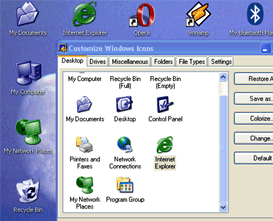
If you are bored of the existing icons windows gives you, then you can have a whole new collection with CustomIcons. This easy to use tool will customize your existing windows icons and also manage the icon collections.
With this utility you can customize the existing icons on you desktop, in Windows Start menu and many other locations. By using this tool you can easily replace default Windows icons with the ones to your choice and customize a wide variety of desktop attributes. This utility also allows you to scan your files, folders and local drives for icons. Once this program finds any new icon it stores all found icon information in icon collection files or icon libraries ICL. Later, you can copy individual icons to the clipboard or save them as ICO, BMP, PNG files. Also, you can replace or colorize the default icons Windows uses to display My Computer, Recycle Bin, Internet, Start menu items, drives, shortcut and sharing overlays, system folders and other objects.
You can even rebuild your icon cache by using this program. By using this program you will never have the same icons again.
User comments