


Editor's review
Making you favorite videos or MP3 music file your screensaver, does this sounds interesting? Video Screensaver is the software that would make it possible for you to do this in a jiffy. Try it and you’ll definitely love to own it.
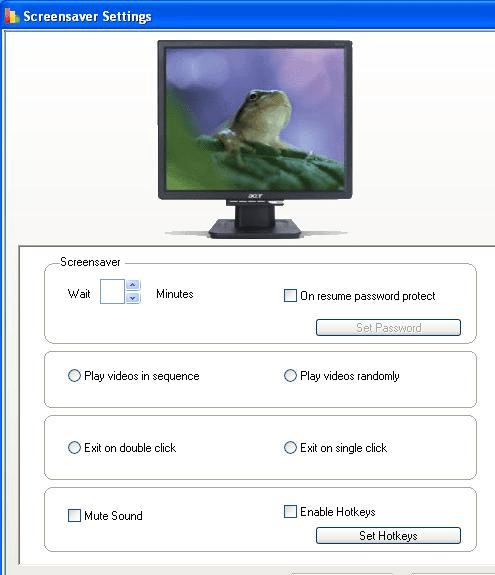
The software launches with a screen whose appearance has simplicity with an unparalleled elegance. You have the option to make the screensaver of some of your favorite media files. The program screen shows the image of a monitor. With simple deep gray shades it contains easy options on the right side. Clicking the add button you can browse and add the videos and MP3 files. The selected files list is shown on the below list with information like name, length, file type, etc. Delete the files not required by you or delete all files together for making fresh selection. You can arrange the files in a sequence you want them to appear in. Change the settings by clicking the option and a window would appear with the features. Set the ideal time of the computer to make the screensaver appear on the screen. You can set the password for making the screensaver active and also for disabling it. Choose the videos to be played in sequence or randomly. The exit from the screen saver can be chosen to be on double or single click as you like it to be. You can mute the sound that would prevent the noise. Enable the working of the hotkeys and set them for main, settings, preview, and exit; and save the combination. For checking see the previews of the screen saver made by you and make the changes if required.
You can play the songs and enjoy videos that too without opening your player again and again. Have the software, listen to the rhythms of your favorite song and see the video you love the most. The software score quite well with us and we give it a good 4 star rating. Get and make the most memorable screensavers that you always liked to have.
User comments