


Publisher's description
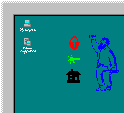
This program provides you with alternative ways to launch applications or prevent you from accidental clicking your mouse on protected areas. It adds an artistic touch to your standard desktop. With AMarker you can easily draw colored transparent or hidden regions over the screen and assign a mouse-click action to the area. To hide or show these areas, simply double click on the tray icon. This allows you to create a really cool menu instead of using boring icons. The shape and position of a menu items are limited only by your imagination! Use your own menu to launch applications or screen savers, shut your computer down, and open your most-used files and folders with just a click of the mouse. The AMarker program supports "drag and drop" as well as preview, and has a simple interface. Use AMarker to protect your own desktop icons from erroneous mouse clicks. With AMarker you can let your children use your computer without worrying whether they'll delete, modify or view important files. Your animated message will produce strong impression on them. But wait, there's more! It's possible to trace and save to your log file all mouse activity and keyboard input. Use AMarker to turn boring screen reminders into ones with unusual visual effects that you'll never overlook. Try our popup clock - even our four-year old child likes it.
User comments