


Editor's review
You can now optimize the performance of your PC to a great extent thereby avoiding endless waits at startups. This can be achieved with the help of the Background Optimizer 1.32 which upon configuration works when the PC is idle. The software aims to optimize your PC and thus boost up its performance by defragmentation and cleaning. It cleans the junk files and also conducts antivirus checks. Whenever you leave your seat for having a tea or lunch break or for some other work, the program starts the process of optimization. It will clean disks, defragment, and install updates, and you don’t even need to sit in front of PC.
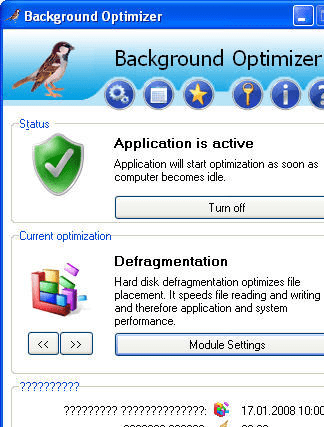
Background Optimizer 1.32 shows up with a simple interface that is appealing to most users. The main screen of the program is small and the program can be activated or deactivated easily at your choice. Do this by clicking on Turn Off/On. You are provided with the settings for the Disk Cleaner. You can make the selections for the type of files that you want to be cleaned up like the Temporary Setup Files, Offline Web Pages, Temporary Internet Files, Debug Dump Files, and so many like these. Mark the boxes in front of the files and the program will do the cleaning according to the selection. The Defragmentation option is for the optimization of the files placement. The software working stays at your system tray and you can access the program from there also. Change the Settings for the startup and the idle time limit at which the program would start working. It also shows you the statistics of the time taken for the optimization. Make the selection of the Modules by marking or unmarking them.
Background Optimizer 1.32 optimizes the performance of your PC and does not requires you to have the work done manually. The best feature is that it works when you leave your PC idle and the software does not interrupt your work when you are using other applications. Its intelligent operations and powerful features earns it a well deserved score of 4 rating points.
User comments