
 |
 |
|
|
 |
 |
 |
 |
|
|
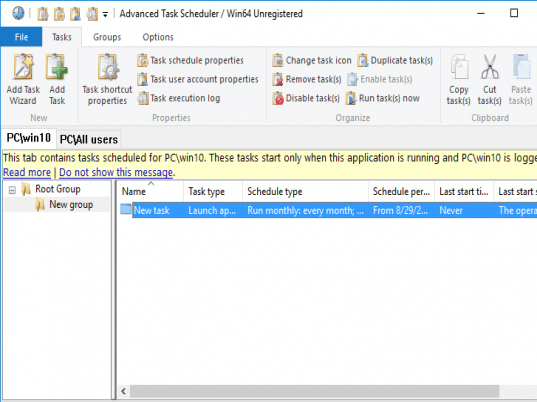
Advanced Task Scheduler - is a multifunctional task scheduler, which allows launching programs, scripts and batch files, opening documents and Internet pages, displaying popup reminders, playing sounds, sending messages, shutting down and restarting computer, stopping running processes, establishing and closing Internet connections - automatically at a specified time, repeatedly at a time interval or by a system event.
Advanced Task Scheduler offers full set of scheduling tools that allow running scheduled tasks automatically at a specified time, minutely, hourly, daily, monthly, yearly, in specified period of time after starting the computer or by such events as hot key, computer idle, Internet connection established/terminated, etc.
Advanced Task Scheduler can be started as a Windows Service and work in the background so it will not take a place on the desktop but all scheduled tasks will work normally. This feature allows run Advanced Task Scheduler even when no user is logged on.
|
|
Editor review: Reviewer, 2009-06-08 12:29:00
Advanced Task Scheduler is a powerful cost-effective tool to schedule running of applications, batch files, and other operations - automatically at a specified time, repeatedly at a time interval or by a system event.
Features: Advanced Task Scheduler is a multifunctional task scheduler. It can launch programs, run batch files, open documents and web pages, display pop up reminders, play audio alerts, shut down/ restart the machine, stop processes running, establish or close an Internet connection. Sending email message etc. automatically. These can take place at pre-specified times or based on specific events or time intervals. Scheduling is possible once a day, every minute, hourly, monthly, yearly at the completion of a time interval after boot up. Scheduling can also be initiated by events such as a hot key being pressed, when the PC goes idle, an internet connection is established or lost and so on. . Popup reminders makes sure you do not forget important things that you were planned to be done. Automatic shutdown feature allows leaving the computer running while being sure that it will be shut down at specified hour. Automatic opening and closing dial-up connections allows automatic management of Internet access.
Advanced Task Scheduler places its icon to system tray. This provides access to all features of the scheduler via the popup menu. Right click on the icon brings up the pop up menu. Advanced Task Scheduler can also be restored by pressing a specified hotkey. It can be started as a Windows Service and work in the background and all the scheduled tasks will work normally. This feature allows you to run Advanced Task Scheduler even when no user is logged on.
Overall: A handy tool to manage many routine tasks to be done automatically. Includes features that make it easy to use day-to-day.
|
 |
 |
Visit homepage of Advanced Task Scheduler
Download Advanced Task Scheduler 2.0.0.501
Popular search terms related to Advanced Task Scheduler:
planning, scheduling, reminders, automate, hot, scheduler, popup, shutdown, schedule, dial-up
|

family scheduler real time scheduler advanced internet tool web scheduler business scheduler print scheduler daily task task schedule project scheduler report scheduler

Programs related to Advanced Task Scheduler
Infoblox IPAM WinConnect LE freeware lets you get started on the path to automated IP address and subnet management (IPAM). Now you can replace your m...
Vista Utilities suite is an award winning collection of tools to clean, optimize and speedup your system performance. it works on Windows XP, Vista, 2...
If your name is ,by chance, Adolph Blaine Charles Daivid Earl Frederick Gerald Hubert Irvin John Kenneth Lloyd Martin Nero Oliver Paul Quincy Randolph...
PhraseExpress eliminates repetitive typing and manages frequently used text snippets in customizable categories. Boilerplate templates can be stored t...
Aeo CiAN Text Replacer Save time and money with this powerful and easy-to-use Mass Text Replacement Tool. Once you run this Mass Text Replacement you ...
IKIC File Drawer is used to quick start programs, quick open files, quick open folders, quick open website, just do these with File Drawer. Very fast ...
Easy to use, No programming is required. Run 1000+ tasks a day. SThis task scheduler and automation software can automate a variety of tasks, includi...
RoboTask Lite allows you to automate any combination of tasks on your computer, ranging from simply launching web pages, to moving or backing up files...
* Made with effective power saving capability, this tool proves to drastically save on your power consumption.
*Saves you time - Just schedule a pr...
There are many Windows implementations of a Linux style apt-get function that let you type "install Firefox", and poof, you have Firefox installed.
G...
|