


Editor's review
Research work many a time involves locating diverse varieties of information across the web and hard paper books scanning library shelves and locating important research works. Further, on many websites the copy paste facility is not provided which makes it difficult for the user to extract information and is left with the sole option of taking screenshots. Though, the copy and paste options also don’t work at all times as the information collected is often haphazard and scattered which requires time consuming structuring and arrangement of content. Further, copying graphic symbols and pictures and passwords are difficult to pull out and here Capture Assistant 1.5 would come to the rescue of the user with its advanced information capturing abilities that make it possible for the user to conveniently extract text.
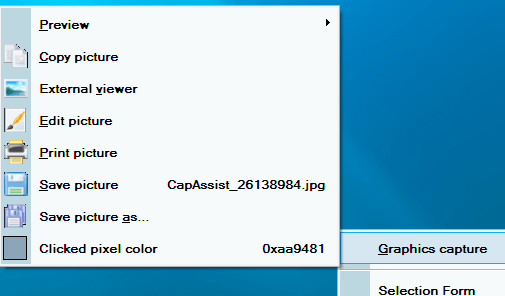
Capture Assistant 1.5 opens with a neatly organized interface with the main options placed intuitively for easy navigation that contains facilities to capture text and images and even adds the information to the program interface. The software allows the user to safely copy graphics, passwords behind asterisks and any color pixel on the screen besides text. There are various default hot keys to select the text or any other area on the screen while preserving the format of the text. The text can be captured as copied to the clipboard, add the text to the notes file and even e-mail it or print it as desired. The graphics can also be captured easily with the copied file can be saved to the clipboard, and the selected image can be edited and printed as well. Moreover, it is capable of capturing passwords and pixel colors displayed on the screen.
To sum up, Capture Assistant 1.5 definitely comes across as a useful utility that provides significant assistance in extracting valuable information from diverse sources across the web and hence gets a rating score of four points for its enhanced usage.
User comments