

 |
 |
|
|
 |
 |
 |
 |
|
|
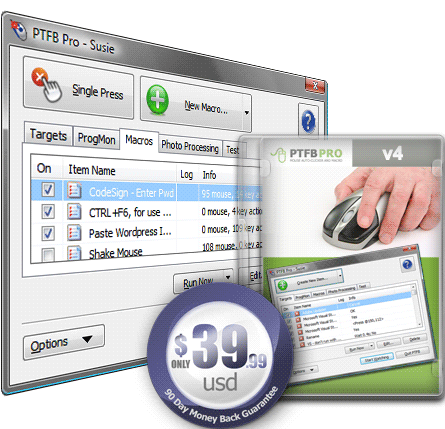
PTFB Pro offers an elegant, easy to use solution to many of the irritations and interruptions that plague Windows users. It will quickly and discretely answer confirmation requests that interrupt your workflow, monitor and alter the status of running applications and automate repetitive tasks. It’s handy and simple to use for the home user or computer novice, yet for the power user it has the features needed in a professional environment.
|
|
Editor review: Reviewer, 2008-06-20 08:57:00
This is a Macro recorder, mouse auto-clicker and program monitor for automating repetitive tasks and handling confirmation screens and other windows that interrupt your workflow.
Pros: With Windows applications, several screens come up that need a response in terms of clicking one button or another. The application keeps waiting until that is done. PTFB Pro offers an elegant, easy to use solution to many of the irritations and interruptions that happens this way to Windows users. It will quickly and discretely answer confirmation requests that interrupt your workflow, monitor and alter the status of running applications and automate repetitive tasks.
First step is to teach the program how to respond. This is done by clicking the appropriate response with this application running on the tray and set to the “single press” mode”. As long as the program runs, any time else same response is required, the right button will get pushed automatically. This happens even if the screen size or placement is changed. For more complex, more than a single click sequence of events, the teaching is via the “create a macro” state. Mouse clicks are done in the desired order and the application learns and applies it from the next time automatically.
Program Monitor Macros allow you to create "program monitor" or "progmon" items. These periodically check to see if a particular program is currently running on your system. Depending on how you`ve set them up, they`ll either launch the target program if it isn`t running, restart it, or close/kill the program if it is running. A wizard comes up on selecting the creation of a “program monitor state” and you set up the macro.
Cons: Nothing adverse noticed.
Overall: A useful application that serves some of useful purposes, particularly problems that has a lot of nuisance value, this is good for a 4 star level.
|
 |
 |
Visit homepage of PTFB Pro
Download PTFB Pro 3.5.2.0
Popular search terms related to PTFB Pro:
macro recorder, macro, recorder, hot, schedule, watch, command, auto, key, pro
|

document workflow repetitive tasks monitor pro wma mp3 recorder email confirmation recorder winamp windows audio recorder iso recorder dvd automate professional auto screen recorder

Programs related to PTFB Pro
Infoblox IPAM WinConnect LE freeware lets you get started on the path to automated IP address and subnet management (IPAM). Now you can replace your m...
Vista Utilities suite is an award winning collection of tools to clean, optimize and speedup your system performance. it works on Windows XP, Vista, 2...
If your name is ,by chance, Adolph Blaine Charles Daivid Earl Frederick Gerald Hubert Irvin John Kenneth Lloyd Martin Nero Oliver Paul Quincy Randolph...
PhraseExpress eliminates repetitive typing and manages frequently used text snippets in customizable categories. Boilerplate templates can be stored t...
Aeo CiAN Text Replacer Save time and money with this powerful and easy-to-use Mass Text Replacement Tool. Once you run this Mass Text Replacement you ...
IKIC File Drawer is used to quick start programs, quick open files, quick open folders, quick open website, just do these with File Drawer. Very fast ...
Presto Windows Mail Transfer is an application designed to help automate the transferral of your Windows Mail contacts and mail from one computer to a...
HotKey Manager is a Windows application for shortcuts creation and customisation. HotKey Manager assumes all your repetitive work on the computer. Wit...
Easy to use, No programming is required. Run 1000+ tasks a day. SThis task scheduler and automation software can automate a variety of tasks, includi...
RoboTask Lite allows you to automate any combination of tasks on your computer, ranging from simply launching web pages, to moving or backing up files...
|