


Editor's review
WinBatch automates PCs with simple scripting and pre-built sample solutions. It manipulates PCs including: Windows APIs, third party software, networking (MS and Novell), Internet communications (FTP, email, etc.), and SQL databases.
Pros: WinBatch is a scripting language for Windows Vista, 2003, XP, 2000, NT. All aspects of PC operation can be automated by running these scripts. Macros created can be run from icons, hotkeys or even another macro. While this eases deployment on individual machines and exactly as per someone’s custom requirements, organization wide deployment can work if run time code can be supplied to users and deployed on the machines they use. The software has another package configuration that includes a compiler so that executables can be created and distributed. These runtime objects could be distributed without limit.
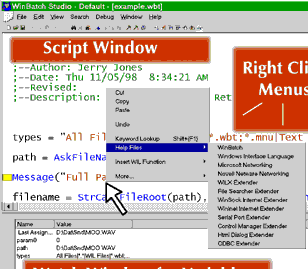
WinBatch has a WinBatch Studio editor that helps writing the scripts. The script syntax is BASIC like. The language caters for network management, string-handling, keystroke recording, and various functions for file management, directory management, disk drive management, Window management, mathematical computation, DDE, OLE, messaging, serial communications, internet communications, Windows control manipulation and multi-media events.
The macro generation for automating things has dual advantage. The first, of course, is the flexibility of a programming/scripting language. There’s a set of functions already available. The second is rapid deployment. Because most of the work is already done for you in free sample code, you finish projects faster.
Cons: The top level screen could have been simpler. Also the documentation to explain what the package contains or how exactly one could get started is not very straight-forward.
Overall a rating of 4 stars seems appropriate for the package.
User comments