


Editor's review
Driver Magician is a program useful to take driver backup, restore, update and removal in windows operating system. Application identifies all hardware, extracts their associated drivers from the hard disk and create backup of them at specified location. You can restore this backup files after formatting or reinstallation of your operating system so that your drivers remain intact.
Features: We usually face problem after reinstallation or installation of operating system that some of your application which were working fine earlier are not working as expected. One of the causes is that you don’t have the appropriate driver installed after OS installation. To avoid this problem you can create backup of drivers and restore them after installation of OS.
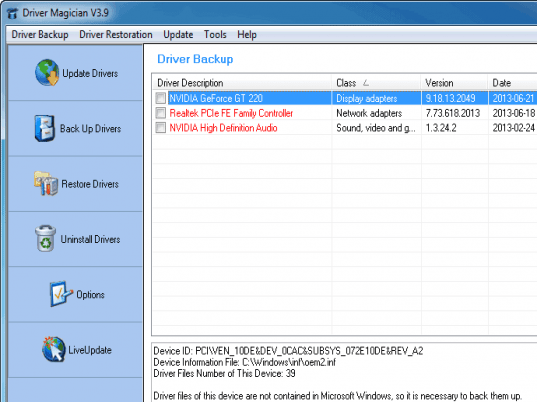
The application has nice features, you can get the list of all drivers including non-Microsoft as well. The application shows the details of all drivers present on your PC with details like driver description, class, version, data and provider. Application is available in different languages like Arabic, Bulgarian, Hungarian, Russian, German, Italian and many more. Application has various backup and restoration options. Driver backup options are backup driver to folder, compressed file, self extractor (.EXE), auto-setup package (.EXE) and set compression level as low, medium or high. Restore options are restore from folder, compressed file, self extractor EXE. To perform backup operation select the driver(s) which you want to backup and click on start backup button, select the folder where you would like to save the backup file. The application also detects unknown device drivers for your reference. You can also uninstall unwanted device drivers from the system.
Overall: This is a very good application to backup and restore driver on your computer.
User comments