


Editor's review
Magic Uneraser recovers the files, documents .etc with much of ease. Now you won’t loose anything from the computer. The functioning and the options are trouble-free in use and it performs remarkably well.
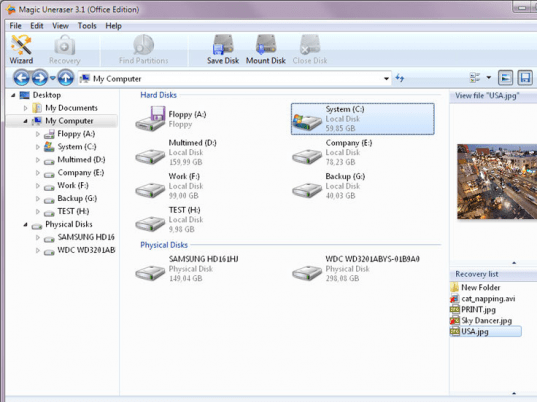
Download, install, launch and start working, the things are as simple as said here. The launch screen of the software has an elegant user interface that is clear with not much of options. You can easily find the deleted files by selecting the location from the left side drop down option. Set the filter for making the search and display the deleted files or all files. You can set the view to be large icon, list or details. After having all the setting you just need to click find partitions. A separate window appears for finding lost partitions. It shows the hard drives and the start from and size option. You can enable the system types, NTFS, FAT32, FAT16, and FAT12. When you’re done with the selection you can click on ‘Find’ and the search starts up. The middle screen shows the files searched by the program with the deleted files shown with different icon. You can analyze the selected location and it also shows the deleted files. The left side of the screen shows the folders contained by the location drive. The right screen shows the containing files and folders of the selected left folder. You can recover the files with the ‘Recover’ option and a box appears for selecting the output folder. Choose the suitable options and press ok and then you can open the folder and view the files. You can have the deep analysis, find a file by giving the name and also select the aspect for the search. It has detailed help file that provides to the user all the information about the program.
The software has been given 3 rating point as it help to restore the files that you may have lost by mistake or somebody’s envy. Its surely a good utility to have on your system.
User comments