
 |
 |
|
|
 |
 |
 |
 |
|
|
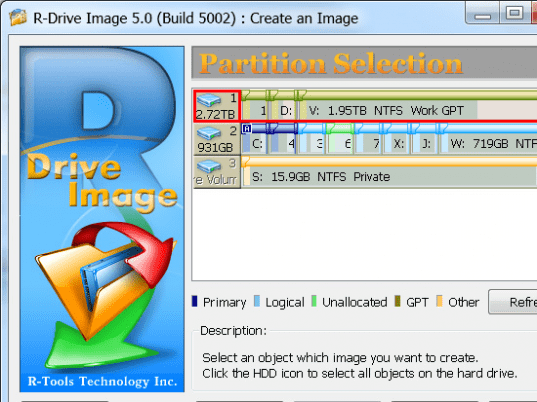
R-Drive Image creates disk image files for backup or duplication purposes. Disk image file contains exact, byte-by-byte copy of a hard drive, partition or logical disk and can be created with various compression levels on the fly without stopping Windows OS. These drive image files can then be stored in a variety of places, including various removable media. R-Drive Image is capable of restoring images on the original disks, on any other partitions or even on a hard drive's free space. R-Drive Image creates a special bootable diskette to restore system partition. To restore only certain files from a disk image, you can connect the image as a virtual disk and copy those files directly from the disk image using Windows Explorer or any other file utility. A free 15-day trial version allows you to verify all R-Drive Image capabilities except creation and restoration a disk image when R-Drive Image is launched from a bootable floppy disk created by the trial version.
|
|
Editor review: Daily Reviews Team, 2003-12-02 01:10:10
     R-Drive Image is capable of restoring system after heavy data loss caused by any of the following like, the operating system crash, virus attack or hardware failure. What this program does is that it provides a back up by creating exact byte-by-byte copy of a hard drive, partition or logical disk.
     R-Drive Image can be used for mass system deployment when you need to setup many identical computers. In other words you can manually setup one system only, create an image of the system and then deploy it on all other computers saving your time and costs. With this program data from a disk can be copied to another disk directly. Image data can be compressed to save free hard drive space. The file system of the restored disk can be converted to another one (FAT16 to NTFS, FAT16 to FAT32, etc.). Also R-Drive Image can be connected as a read-only virtual drive and its content can be viewed and copied.
     R-Drive Image has a Simple wizard interface therefore no in-depth computer management skills are required.
|
 |
 |
Visit homepage of R-Drive Image
Download R-Drive Image 4.3
Popular search terms related to R-Drive Image:
dvd copy, virtual drive, partitions, usb, diskette, partition, drive image, dvd software, backup software, dvd
|

bootable partition drive copy utility windows image hard disk tools bootable floppy image backup format removable disk bootable file hard drive compression diskette image

Programs related to R-Drive Image
The easiest way to backup email data (emails, accounts, signatures, address book, settings, message rules and blocked senders lists) from the top Ema...
Sauver Personal Edition Backup is true "Set and Forget" backup. Define any number of full, incremental, or differential backups, with a wide range of ...
We know what you think: "Another backup utility? I have seen too many of these already. You can't surprise me with another one. I've seen scheduled ba...
Outlook PST file corruption is a fairly common occurrence. Repair PST Software, helps you troubleshoot PST failures and restores your important emails...
SyncBookmarks keeps your bookmarks up to date between browsers on your computer. It does not require any Internet server to sync your bookmarks, so yo...
How can you regain your file which erase due to many reasons like virus infected system, human error, improper computer shut down and data deleted by ...
EZ Backup Windows Live Mail Pro makes it easy to backup your Windows Live Mail contacts and mail to a local drive, network folder, CD/DVD and even to ...
The easiest way to backup email data (emails, accounts, signatures, address book, settings, message rules and blocked senders lists) from the top Ema...
Simcard data recovery software is fully capable to retrieve unintentionally deleted sim card information (text messages, contact numbers, call list) j...
EZ Backup Windows Live Mail Premium makes it easy to backup your Windows Live Mail contacts and mail to a local drive, network folder, CD/DVD and even...
|