
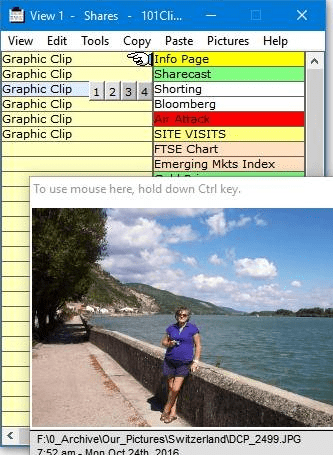
101 Clips is a new multi-clipboard program, which will win you over with its simplicity and usability. Even though there is a default clipboard program with windows but this one will prove to be different and more useful.
    It works in a very simple manner. The program once installed stays in the system tray and captures everything you cut or copy from other programs. It will store the last 30 clips. When you want to paste one back, all you have to do is restore it and click on the clip you need. This program is so easy to work with; you don’t need any prior knowledge. With this program you can capture the entire screen, capture the active window or even capture an individual graphic from Internet Explorer or AOL. One more important feature of this program is that you can paste any screen or graphic directly into the body of an Outlook Express email.
    Once you use this program you would understand how important it is to have a program completely easy to work with.
Typing something youve typed before? Searching for that graphic file, web address or phone number you know you have somewhere? You need 101 Clips. No ...
We regularly use copy, cut, paste and print screen options to speedup our work. Sometime you might need to paste more than one clip at different locat...
1st Clipboard is a program to increase the power, capability, functionality and storage capacity of your clipboard. Before using 1st Clipboard, you wo...
Abridge Insert is a very useful keyboard and clipboard extender. Using Hotkey combinations, it allows you to easily insert commonly-used text into any...
This is a clipboard program that overcomes the single cut-paste capability of the Windows program. This program provides you with the capability to cl...
This is a software solution that lets you handle more than one clip on the clipboard. When you cut or copy information from a program, it is moved to ...
Advanded PDF Tools General Advanded PDF Tools is a fast and easy to use utility to maintain your PDF files, it allows you to edit or add data into the...