


Editor's review
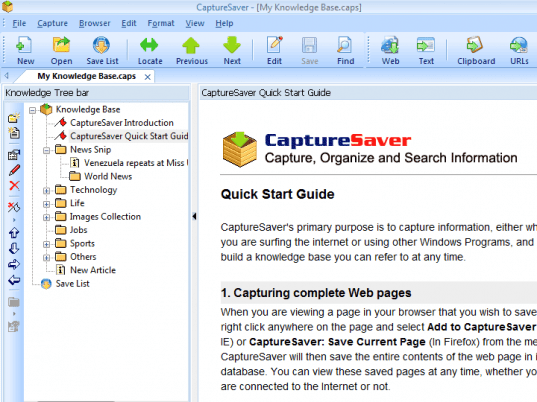
CaptureSaver is a simple tool with features and capabilities to store all the valuable information you collect. It captures, organizes and allows you to reuse your web pages, text and images.
Features: This program allows you to create folders and sub-folders to organize your information with a tree structure. You can easily rearrange information collected by using a drag-and-drop operation to organize your information collected in a way that makes sense to you. It gives you a permanent archive of the information you collected. With one click of your mouse or drag-and-drop operation, save entire web pages, emails, images, text into search able folders right inside the browser or on your desktop. The folder of the simple to use tool can be packaged into a deliverable CHM file so that it can be shared with your friends. It allows you to add your personal comments and specify keywords for every information collected. Folders are password protected. This easy to use and install program is designed for even the most basic beginner and still has lots of features for advanced users (such as: Save information as source and meta-data; Save news, research, articles, receipts, photographs, recipes, posts from blogs and forums; Web page capture; Screen capture; Text capture; Reuse and share information easily; Organize information easily).
Overall: CaptureSaver lets you capture, organize, and search the information you gather at anywhere as you never have to lose any of your valuable information. Almost anything you find can be saved into a searchable database.
User comments