
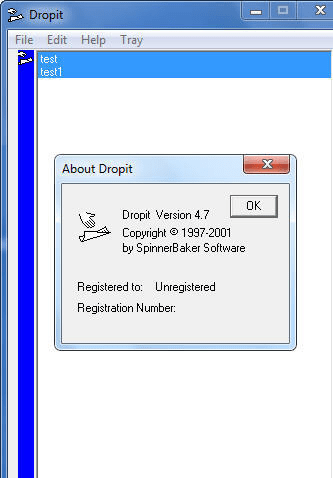
Makes it quick and easy to fill out those forms by keeping your information in a list box. To get an item into the form, simply click it in the listbox to highlight it, then click the blue Dropit icon and drag the cursor to the edit box on he form where you want it, release the mouse button, and, presto, the item is dropped into the form. You can edit and save the list box to a text file, and read any text file into the list box. Dropits main window is an 'always on top' window which will stay on top of whatever form youre filling out. To get Dropit out of the way, just click the 'Tray' button, and Dropit will minimize to an icon in your system tray, where a right click of the mouse will bring it back.
101 Clips captures everything that you cut or copy. Whatever you capture you can either paste them or use them - 101 will fetch URLs, launch emails, ...
Typing something youve typed before? Searching for that graphic file, web address or phone number you know you have somewhere? You need 101 Clips. No ...
We regularly use copy, cut, paste and print screen options to speedup our work. Sometime you might need to paste more than one clip at different locat...
1st Clipboard is a program to increase the power, capability, functionality and storage capacity of your clipboard. Before using 1st Clipboard, you wo...
Abridge Insert is a very useful keyboard and clipboard extender. Using Hotkey combinations, it allows you to easily insert commonly-used text into any...
This universal and secure clipboard extension tool is combined with a file viewer and can be used as a regular clipboard, a password manager, template...