
Free Downloads Center
e.g. RarZilla Free Unrar 2.55

Latest Reviews

Vitascene Starterkit

Vitascene Starterkit
Vitascene Starterkit is a professional tool that allows to manage and enhance the effects and transitions of images.

eCover Engineer

eCover Engineer
eCover Engineer, the professional tool that allows you to create outstanding eBook covers, CD covers, DVD covers and software box covers.

Subscribe

RarZilla Free Unrar 2.55 Download

Editor's rating  
Users' rating   (1 votes) Rate it!
License Freeware / $0.00
Downloads 1328
Publisher Philipp Winterberg
File size 3358K
Date added 16-Oct-2009
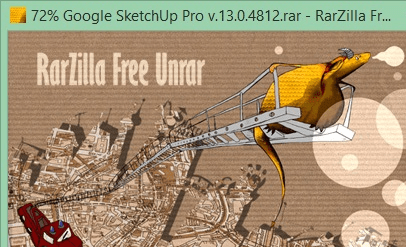
RarZilla Free Unrar screenshot

Enlarge screenshot

Publisher's description
Editor's review
Submit your review

RarZilla Free Unrar is a powerful free tool to quickly decompress RAR-archives. It supports spanned archives. Decompression can be started by drag 'n' drop, double click or shell integrated context menu. To speed the whole process up, RarZilla Free Unrar has the option to define a default output folder or a default password or both. This version comes with short instructions in more than 50 languages.

Editor review: Reviewer, 2009-10-19 06:48:00

RarZilla Free Unrar is decompression tool for RAR-archives. It also supports extraction of password protected files.

Features: If you received .rar file then we should be able to extract files from this compression format. With Rarzilla Free Unrar utility you can extract files from .rar archive.

Application has simple user interface, you can quickly and easily unrar your files. Applications provides three different decompression ways such as drag files from explorer and drop them on the RarZilla Free Unrar picture or using context menu or double click on the rar file. With the context menu, select file from explorer, select Rarzilla free unrar with right mouse click and unpack your rar files. All the files are extracted in the same folder where your rar file is present. If the files are already present then you get message that file is already exists, do you want to overwrite it? You can select option as Yes, No, Overwrite all files or overwrite no files. It has the option to define a default output folder. To define output folder path, go to the folder that contains RarZilla.exe, create a text file with name "folder.txt" and just write one line in it with the path of the desired default output folder. Utility performs all the supported operations very well.

Overall: This is a simple utility to uncompress files from .rar archive.

Visit homepage of RarZilla Free Unrar

Download RarZilla Free Unrar 2.55


password to folder
password for folder
context menu plus
need fr speed
need or speed
need to speed
need speed
rar tool
folder with password
menu drop

Programs related to RarZilla Free Unrar

Copyright © 2001-2009, Free Downloads Center.