
Free Downloads Center
e.g. SoftOrbits Flash Drive Recovery 1.2.1

Categories

Top in this section

R-Studio

Data recovery tool for FAT, NTFS, Ext2FS file systems. File recovery after FDISK, MBR destruction, FAT damaged, virus infection. Dynamic disk support. Damaged RAID reconstruction.

Latest Reviews

Ainvo Registry Defrag

Ainvo Registry Defrag
Ainvo Registry Defrag is a simple tool with the capability to keep your system working in a smooth and stable condition.

VintaSoftTwain.NET Library

VintaSoftTwain.NET Library
VintaSoftTwain.NET Library is a handy and useful .NET library with which you can control the working of scanners, cameras and any other TWAIN devices.

Subscribe

SoftOrbits Flash Drive Recovery 1.2.1 Download

Editor's rating  
Users' rating   (4 votes) Rate it!
License Shareware / $29.95
Downloads 3570
Publisher SoftOrbits
File size 1283K
Date added 14-Jul-2009
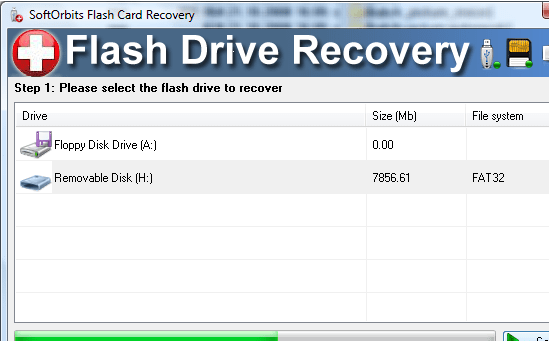
SoftOrbits Flash Drive Recovery screenshot

Enlarge screenshot

Publisher's description
Editor's review
Users' reviews (2)
Submit your review

SoftOrbits Flash Drive Recovery is a flash restoration solution. It can restore information from any kind of storage media (PC cards,music sticks,flash drives,digital cameras,USB drives, etc). This program restores all corrupted and deleted photos,documents, mp3 and other files even if a flash card was re-formatted. You can preview restored photos and other documents with the free trial version.

You do not need to set any restoration options - the entire process is done automatically with a built-in data restoration wizard.

SoftOrbits Flash Drive Recovery allows you to:

- Recover information from various storage media including: Smart Media Card,Secure Digital Cards,Flash Card,MicroDrive,Sony Memory Stick,Floppy disk,Digital camera,Zip Disk,xD Picture Card,Compact Flash card, USB disks and many others.
- Preview and restore BMP,JPG,TIFF,PNG,JPEG,GIF, TGA and other pictures.
- Preview and restore RAW images (NEF,RAF,CR2,PEF,CRW, RAW and other formats).
- Works under Microsoft Windows 2000,XP,2003 Server, Vista,7.

Editor review: Reviewer, 2009-01-19 08:17:00

SoftOrbits Flash Drive Recovery is a Flash data recovery tool. It can recover data from any type of storage media (music sticks, digital cameras, flash drives, USB drives, PC cards, etc).

Pros: SoftOrbits Flash Drive Recovery recovers data from flash drives. Even when the drive contents are corrupted or it has been reformatted. It helps recover data from digital media types such as USB drives, PC cards, camera memory cards and so on. The complete process is automatic thus there’s nothing to set nor to mess things up. The program recovers from a wide range of media that include Floppy disks, Digital camera, Zip Disk, Smart Media Card, Sony Memory Stick, Compact Flash card, MicroDrive, Secure Digital Cards, xD Picture Card, Flash Card, USB disks and many others. Image formats supported include JPEG, JPG, TIFF, BMP, PNG, GIF, TGA and others. The application can handle camera RAW image formats such as CRW, CR2, NEF, PEF, RAF, RAW and others. The free trial version allows you to only preview the recovered photos and documents. The production version lets you recover and save the images and documents. The publishers claim 100% recovery rates. The program works with Windows 2000, XP 2003 server and Vista version.

Cons: It is difficult to believe 100% success rate as such physical things as hardware failure in memory cells can cause errors that are not recoverable. In any case it is wise to test out the stuff for the situation, formats you’d be working with.

Overall a 3 star item.

Visit homepage of SoftOrbits Flash Drive Recovery

Download SoftOrbits Flash Drive Recovery 1.2.1


nef files
corrupted compact flash card recovery
recover deleted photos from camera
recover formatted compact flash
usb flash drive not formatted
recover deleted pictures from sd card
restore deleted files from sd card
recover files deleted from sd card
how to recover files from sd card
jpg to mp3

Programs related to SoftOrbits Flash Drive Recovery

Copyright © 2001-2009, Free Downloads Center.