


Editor's review
R-Drive Image Hard Disk Backup Software creates the exact image of one or several partitions, logical disks or an entire hard drive for data archive/backup. These images can be stored as one or several files on another hard drive or on removable media.
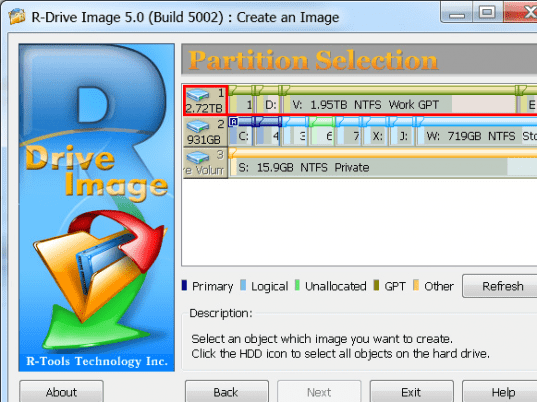
Features: Application has a nice user interface, you need to follow instruction wizard to complete the action you want to perform. It allows you to perform different types of action using this utility like create an image, restore from an Image, copy a disk to a disk, connect an Image as a Virtual Logical Disk, Create startup disks, check an Image file and schedule or create a script. Select an option which you would like to perform and move to next step. Application will display all the disk details like primary, logical, unallocated and other.
You need to select an object image of which you want to create. Click the HDD icon to select all objects on the hard drive. In the next step select image destination and specify a file name. To write the images to CD/DVD disk, select CD/DVD recorder in the disk structure and specify file name. Moving further set image compression ratio using slider from faster speed to smaller size. With faster speed your file size will be large and smaller size will be small. You can select backup type as sector by sector backup or backup actual data only. Select Image split size as Automatic or fixed. Application provides password protection facility. In the next step select backup AUX application and snapshot AUX application. Once all the setting are done, application will display information on panel for verification before start processing, once you confirm the information is correct click on start button to start process.
Overall: This is an excellent all in one utility to clone your hard disk drive.
User comments