


Editor's review
To clean well you need to be a professional cleaner. That’s correct in the meaning of cleaning floors or washing dishes, but not about PCs. Many automatic cleaners offer us their help in doing it easily and fast. But which one is worth using? That’s a whole problem.
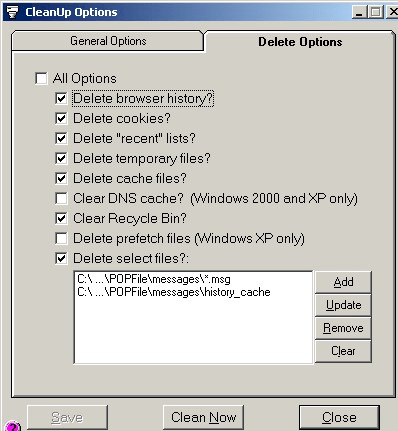
CleanUp is a highly professional piece of software, which is certainly one of the best in reaching its aims. The main advantage of the program is in its original, though not so convenient interface, the feature to choose the folder you want to scan, to choose the type of files you want to scan for, the choice (to delete or not delete?) and so on. But remember, that this wise Norman Cook’s “Weapon of choice” song isn’t an empty sound – having this weapon, you’ll have to be responsible for it as well. So, please, don’t delete anything till you are completely sure that your system won’t need it in future. By the way, your system should be at least Windows 98. I don’t know whether it is right to offer a “one of many other” program, but I advise you to try it. Take a risk and start your 30-days trial tour!
CleanUp is a highly professional piece of software, which is certainly one of the best in reaching its aims. The main advantage of the program is in its original, though not so convenient interface, the feature to choose the folder you want to scan, to choose the type of files you want to scan for, the choice (to delete or not delete?) and so on. But remember, that this wise Norman Cook’s “Weapon of choice” song isn’t an empty sound – having this weapon, you’ll have to be responsible for it as well. So, please, don’t delete anything till you are completely sure that your system won’t need it in future. By the way, your system should be at least Windows 98. I don’t know whether it is right to offer a “one of many other” program, but I advise you to try it. Take a risk and start your 30-days trial tour!
User comments