


Publisher's description
Complete Data Wipe is an advanced security software with full capabilities to erase entire hard disk drive partition, folders, subfolders and files you select, unused disk space and also records of your offline and online activities including history folders, cookies, internet files temp folders, URL list. In addition, it removes passwords from computer drives and ensures a secured computer privacy.
This program means power and efficacy in deleting or cleaning the sensitive or unwanted data files permanently (using highly sophisticated wiping algorithms for total data deletion) so that there is no risk in having some recovery tool recuperate and expose your information again without your knowledge or consent.
This program packs in all the features and options the current technology provides with respect to a data erasing utility.
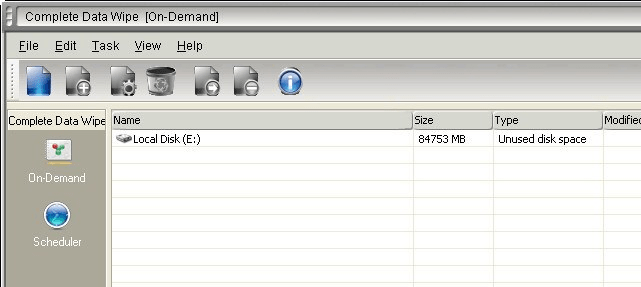
Complete Data Wipe also includes a very handy Scheduler, which allows you to run set time intervals for the tasks you choose the program to perform. The program displays under Edit Properties (which you can easily access with one click on the respective icon or by going to Edit and then Preferences) detailed information regarding schedule tasks, files and valuable statistics. You can import and export files by clicking the File button but also submit new task and view log.
Going to Preferences (by clicking on the Edit button top left) will enable you to configure general settings such as Erasing Report, Shell Extension Scheduler (add menu item to Explorer context menu), Pseudorandom Number Generation, Paging Files, Locked Files and other. You can also set password protection to the program to be in full control.
The software comes with online support so any question or need for further information you might have will be attended by our technical team.
NOTE: This utility is perfectly safe to use and is NOT associated with any adware, spyware or any other type of malware!
This program means power and efficacy in deleting or cleaning the sensitive or unwanted data files permanently (using highly sophisticated wiping algorithms for total data deletion) so that there is no risk in having some recovery tool recuperate and expose your information again without your knowledge or consent.
This program packs in all the features and options the current technology provides with respect to a data erasing utility.
Complete Data Wipe also includes a very handy Scheduler, which allows you to run set time intervals for the tasks you choose the program to perform. The program displays under Edit Properties (which you can easily access with one click on the respective icon or by going to Edit and then Preferences) detailed information regarding schedule tasks, files and valuable statistics. You can import and export files by clicking the File button but also submit new task and view log.
Going to Preferences (by clicking on the Edit button top left) will enable you to configure general settings such as Erasing Report, Shell Extension Scheduler (add menu item to Explorer context menu), Pseudorandom Number Generation, Paging Files, Locked Files and other. You can also set password protection to the program to be in full control.
The software comes with online support so any question or need for further information you might have will be attended by our technical team.
NOTE: This utility is perfectly safe to use and is NOT associated with any adware, spyware or any other type of malware!

Very effective tool!