


Editor's review
There are a number of applications available in market that helps in restoring the deleted data on your PC. Though such applications were initially designed to help people, they can be misused to get data that you have deleted causing threat to the security of your data. Shredding these files permanently can prove to be great solution in such a case. To remove your files completely from the system, you can try using Jack the Shredder 1.0 application. It’s a utility that ensures that the deleted information does not stay at the system, by making it non-recoverable by anyone. You can also select Preset folders and excluded file types, to perform specific shredding. The program includes ten shredding algorithms and hundred passes for each of these.
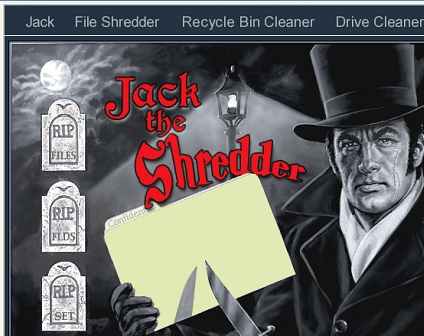
The interface of the Jack the Shredder 1.0 is interesting and the graphics give you an idea about what the program does. On the interface you’re shown three options at the right and five at the top. To get started, add files and folders by browsing and selecting, or by dragging and dropping them into the program. Making this selection you can ‘Start’ shredding the files with ease. To perform the shredding process as per your requirements, click on Set and enable or disable the given features. You can choose the file extensions, files/folder and Windows directory to be excluded, and even you can allow drag and drop. Select one the ten methods of file shredding, and enable the features like scary messages, play sound, generate report log, protect with password, etc. Carrying out the shredding process, ‘Recycle Bin Cleaner’ option can be selected to shred the files from the Recycle Bin. Along with it the ‘Drive Cleaner’ is provided to ensure smooth functioning of your PC. Even you need not sit in front of your PC while cleaning the drive, as you can enable the option to shut down the PC, when the process completes.
Jack the Shredder 1.0 is a worthwhile application that cleans your confidential files completely from any system, after the work is finished. The program functions with competence in shredding the specified files. It also helps in safeguarding user’s data from being accessed by anyone through effective recovery or restoring process. Taking its all features into account, the software is rated with 3.5 points.
User comments