


Editor's review
Under a professional scenario, any computer user might feel the need to install special variety of program for a particular purpose. For instance it might be for a short term project initiative that requires careful management of resources that the team members are working with and requires frequent group interactions. Such a tool also forms a place to discuss the latest developments that have taken place and also helps the users in keeping each other posted. Now, this kind of a program might occupy significant amount of space on the hard disk and when the project is over users might want to remove it totally from the system lest any unsolicited individual can lay hands on it. Remove 4.1 can be easily used for this purpose as it smoothly removes all the unwanted components from the system.
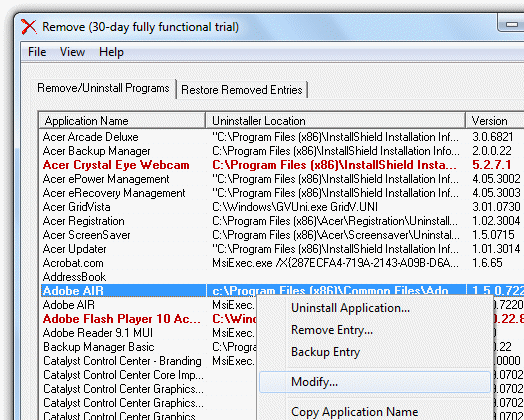
Remove opens with a vivid looking and simple to use application that has all its main controls placed at the top and the screen showing up the list of applications that the user might wish to uninstall. These items are placed in a list with information about the version placed at the right side and uninstaller location also placed on the screen. The user can easily get rid of any unnecessary and unwanted applications along with partially uninstalled software and also includes unwanted Windows components. Furthermore, it also allows the user to remove, alter, add or restore add/remove program list entries and also displays easy to use application names along with version numbers to the Windows Clipboard.
To conclude, Remove 4.1 certainly works as a suitable and powerful utility that promises effective uninstallation of any specific program from the system and hence gets a rating of 3.5 points for its utility value.
User comments