


Publisher's description
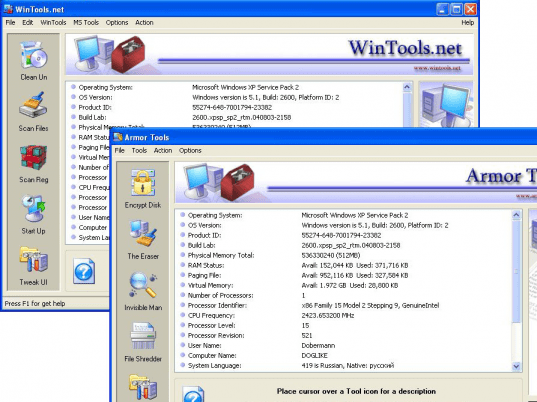
WinTools.net Extra Edition is a suite of tools for increasing operating system performance. WinTools.net cleanly removes unwanted software from disk drives and dead references from the Windows registry. It ensures your privacy and keeps your sensitive information secure, puts you in control of the Windows start up process and gives you the power to customize desktop and system settings to fit your needs. WinTools.net features the following tools:
Clean Uninstaller - This tool is used for both correctly removing software and for monitoring changes made to the hard drive, MS Windows registry and system files during program installations.
Scan Files - This tool is used for periodic cleaning of your hard drive from dead references, junk and obsolete files produced by different software. These files and references remain on the hard disk and increase drive access time.
Scan Registry - This tool is used for periodic cleaning of the MS Windows registry from unused applications remained after uninstallation and from invalid references which decrease system speed and system loading time.
Start Up - This is a startup manager. This tool allows you to monitor, add, remove, enable and/or disable individual startup items. You can also adjust applications initialized during the loading process of the operating system.
Encrypted Disk - Tool is used for creating encrypted disks on your computer. On this disk you can store confidential information which you'd like to keep secret from other users.
The Eraser - Tool is used for cleaning the private information kept on your computer. This tool contain MS Windows objects and Internet Explorer objects for erasing.
Clean Uninstaller - This tool is used for both correctly removing software and for monitoring changes made to the hard drive, MS Windows registry and system files during program installations.
Scan Files - This tool is used for periodic cleaning of your hard drive from dead references, junk and obsolete files produced by different software. These files and references remain on the hard disk and increase drive access time.
Scan Registry - This tool is used for periodic cleaning of the MS Windows registry from unused applications remained after uninstallation and from invalid references which decrease system speed and system loading time.
Start Up - This is a startup manager. This tool allows you to monitor, add, remove, enable and/or disable individual startup items. You can also adjust applications initialized during the loading process of the operating system.
Encrypted Disk - Tool is used for creating encrypted disks on your computer. On this disk you can store confidential information which you'd like to keep secret from other users.
The Eraser - Tool is used for cleaning the private information kept on your computer. This tool contain MS Windows objects and Internet Explorer objects for erasing.
User comments