


Publisher's description
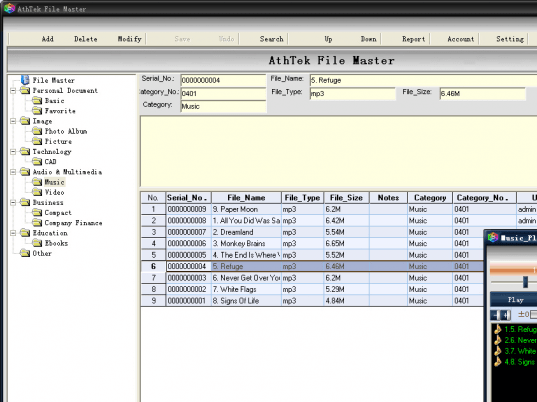
AthTek File Master is both file management and file encryption software rather than a simple file manager. After installation, press F1 to read the Help File to learn how to use it. AthTek File Master resaves your important files in a protected database and keeps them away from virus and loss. After backup to AthTek File Master, you can use these files as in windows explorer. We strongly recommend you to set a password for file security. AthTek File Master allows you to preview images or play music directly. AthTek File Master also supports multi-user management. You can set password and permission for each user account separately.
As a new advanced file management tool, AthTek File Master is easy to use, efficient to supervise and secure to preserve. After installation, press F1 to read the Help File to learn how to use it. Your files will be safety sync with AthTek File Master. AthTek File Master use customized categories to manage files. Those categories can be added, modified, or deleted as you wish.
By using the Search section, target data will be accurately listed in AthTek File Master, even from huge data backups. Those files are freely to be renamed or changed to another category. Duplicate files can be indexed in different categories. Log and Report show the usage condition and file lists of the AthTek File Master database. They can also be export as excel format for you to learn your data structure intuitively.
There are already directions for use from experienced user:
Step1. Save data to AthTek File Master and backup to a new folder;
Step2. Insert an USB Storage Device, move the backup to it;
Step3. Copy the backup to another PC, import the backup to AthTek File Master;
Note: If you have set the account and password to AthTek File Master on the primary PC, you must enter them correctly before using the backup on another PC.
As a new advanced file management tool, AthTek File Master is easy to use, efficient to supervise and secure to preserve. After installation, press F1 to read the Help File to learn how to use it. Your files will be safety sync with AthTek File Master. AthTek File Master use customized categories to manage files. Those categories can be added, modified, or deleted as you wish.
By using the Search section, target data will be accurately listed in AthTek File Master, even from huge data backups. Those files are freely to be renamed or changed to another category. Duplicate files can be indexed in different categories. Log and Report show the usage condition and file lists of the AthTek File Master database. They can also be export as excel format for you to learn your data structure intuitively.
There are already directions for use from experienced user:
Step1. Save data to AthTek File Master and backup to a new folder;
Step2. Insert an USB Storage Device, move the backup to it;
Step3. Copy the backup to another PC, import the backup to AthTek File Master;
Note: If you have set the account and password to AthTek File Master on the primary PC, you must enter them correctly before using the backup on another PC.
User comments