
Free Downloads Center
e.g. Advanced Replace Tools 4.3 Editor review

Latest Reviews

LightMan Extractor

LightMan Extractor
LightMan Extractor is a simple and handy tool to rip and convert your favorite audio files without incurring loss in quality of the sound.

Namosofts Data Recovery 2

Namosofts Data Recovery 2
Namosofts Data Recovery 2, the safe and reliable tool useful for the recovery of your lost, deleted or formatted data.

Subscribe

Advanced Replace Tools 4.3

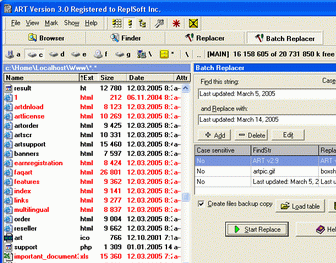
Editor's rating   Advanced Replace Tools screenshot

enlarge screenshot

Users' rating   (4 votes) Rate it!
License Shareware / $24.95
Downloads this week 79
Publisher ReplSoft.com
File size 3350K
Date added 15-Feb-2010
Publisher's description
Editor's review
Submit your review

Daily Reviews Team, 2005-03-24 01:10:10

    Advanced Replace Tools as the name suggests is a powerful tool which is worth the investment.
    Users of computer applications find the task of searching and replacing text a very time consuming process. Editing documents could require searching, finding and replacing text in a number of documents simultaneously. With this advanced tool it is possible to automate the process of replacing this text manually. The same task which consumed most of your time and man effort can be complete automatically within minutes. It is possible to find, replace both text and binary strings within documents as well as program codes. Files located on local drives or within your own network can be replaced in batches instead of doing it one by one. The main components of the tool are its file finder utility, file browser utility and file replacer utility.
    The program has the capability of browsing for and replacing files efficiently with the least effort.

Daily Reviews Team, 2002-04-02 01:10:10

     The built-in Windows Explorer is not likely to help you out when you want to rename or change attributes in a number of files. Not to mention text replacement - you'd have to open each file in, say, Notepad separately, do the replacement, close the file and open another one. You'd have to go through this ordeal if you hadn't Advanced Replace Tools.
     Advanced Replace Tools is a free file manager that actually lacks most of the features plain file managers do, like moving, copying and deleting images - the tool was developed with specific purposes in mind, which are as follows: batch file renaming, batch file attributes changing, batch text replacement, a file finder and browser.
     The file browser and file finder are there to help you find the files for replacement and renaming. Once you have found the files and added them to the basket, you can do with them whatever you want. The renamer and replacer tools have lots of advanced settings, but there's no help file to help you out. Still, this program is free and easy to learn even without the aid of online help. Download it today and see that for yourself.

Visit homepage of Advanced Replace Tools

Download Advanced Replace Tools 4.3

Software related to Advanced Replace Tools

Copyright © 2001-2008, Free Downloads Center.