


Editor's review
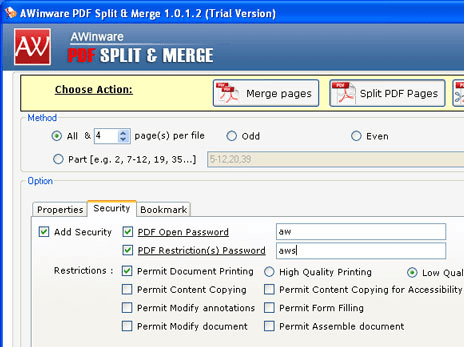
AWinware PDF Split & Merge is all in one utility to perform various functions like merge PDF and image files, split PDF pages, remove PDF pages, append PDF pages and append image file. It’s a standalone windows application works without Acrobat Reader and Writer. It also supports conversion from image files to PDF document.
Features: The application supports various features and instruction wizard to complete the PDF split and merge operations. Select the appropriate action to perform on your PDF file and the program will navigate you through steps to complete operation. To merge different PDF file and image file, add PDF files and images to the list. Arrange order of file in the list then go to the next steps and set output options. It has various output options like merge all pages, merge by page range, merge odd pages, merge even page or set custom page. Enter PDF metadata information like Author, Subject, Title and Keywords. To split PDF file, select PDF file and define the output options. To remove the PDF pages, select the PDF file and specify page number to be removed. Once the settings are done, click on Start button. After splitting the split individual PDF files get stored at the defined location. To append the PDF page select the PDF file, in the next step select the PDF document that you wish to append or prepend with previously selected PDF document. Define the save path where you would like to save the file.
Overall: It’s a nice utility to split, merge and append PDF documents.
User comments