


Editor's review
Effective synchronization of data holds the key in timely and successful completion of any professional project. Sending and checking emails, or transferring data through removable devices takes you through a long way while wasting a lot of your precious time. Nonetheless, it’s never too late to switch to a better and competent solution to make your team work with prompt synchronization. One of the effective solutions that can help you doing so is Easy2Sync for Files 1.33.1. The utility aids you in securely synchronizing your important data along with the changes and updates within several computers, thus timely updating the info with your team members. The utility can be configured to make it confirm or perform the synchronization task automatically.
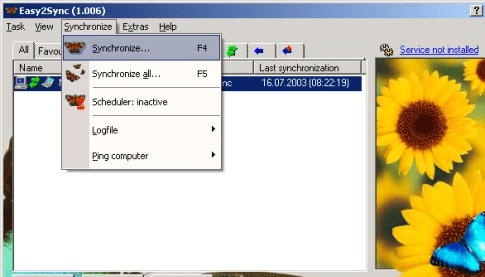
After being installed successfully, Easy2Sync for Files 1.33.1 places its icon in system tray for quick accessibility. With pleasing console, the application presents features to set new tasks and get data synchronized with ease. For adding a new task, you would have to fill-in the entire fields provided with ‘Task Properties’ dialog box. This includes Task name, directories, excluded file/folders, synchronization task schedule, and other advanced options. The created task can be edited anytime, and activated/deactivated if it’s required. When you’ve created the new task, you can begin synchronizing data immediately or set the process to be performed automatically at the specified time. Also you can synchronize individual or entire set tasks altogether and even create new templates for different tasks. After setting and scheduling the task, you can anytime check their process by accessing the ‘Statistics’. For further tracking the program activity you can check the program logfile and even save the record for further tracking the records. Moreover, the utility even comprises of features; Ping Computer, Assistant, Options, Open data directory, configure data directory, toggle daylight saving time manually, and even more.
Easy2Sync for Files 1.33.1 lets you sync files in local network and also on FTP servers with equal ease. The tool, for its rich feature-set that aids you in easily synchronizing data on different computers is awarded a score of 3.5 rating points.
User comments