


Editor's review
Are you are getting troubled while organizing your computer folders on different drives and not sure how to make backup copies? Then your troubles are going to end now. Thanks to the amazing PureSync 2.8. Using this application will help you create backup copies of all your selected folders simple. Moreover, you can also synchronize content in different folders on all the drives in minutes through this software. You in a way get a simplified way of creating multiple syncing tasks through this tool and each of these tasks are easily assigned name and configuration options. Setting these tasks to work as per a schedule is also simplified through PureSync 2.8.
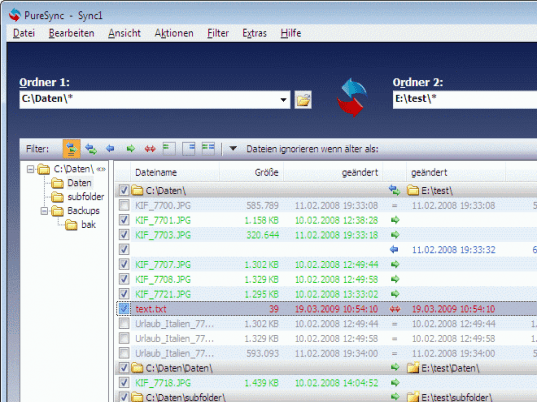
PureSync 2.8 on launch sports an appealing interface with key options placed on the top menu bar. The first and the foremost pros of using the application is the fact that it is a shortcut for syncing data in a number of ways. Another benefit of using this tool is that it provides support for multiple syncing tasks. Moreover, it is an easy to use wizard style interface that can be used by a beginner in the very first go. On the other hand, there is just a single con about this software and that is it doesn’t have too many configuration options.
So, to conclude we can say that PureSync is a marvelous software that has been designed to make easy backup copies and also for synchronizing folders in an easy way. The application earns a score of four and half rating points for its well thought out options like detection of possible conflicts, multiple backup options and a powerful setup wizard. The application is likely to find many takers in organizations looking towards a comprehensive solution to storing and managing the data present in their systems.
User comments