


Publisher's description
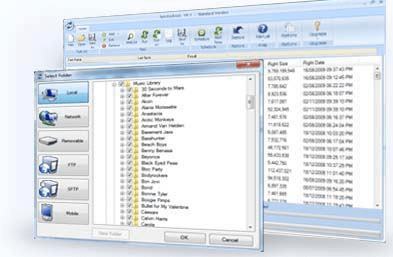
SyncBack4all - it really is safe to use a means of synchronization and backup of data to support a flexible schedule, lets you view, edit, and share your data wherever, anytime.
SyncBack4all automatically and also efficiently keeps all files updated between multiple PCs and products. Even though you could always remember to copy all the modified files manually, there is a better approach to apply your expertise.
Additionally, it lets you pre-define complex ad-hoc copy actions, so that you can execute them repeatedly without manual selection, monitoring, examination, along with conflicts resolution.
More feature, like E-mail notifications may be sent to an e-mail address of your choice so you know the results of your automated backups wherever you will be.
Do not need make the time to learn it's usage, just let it works for you personally!
SyncBack4all automatically and also efficiently keeps all files updated between multiple PCs and products. Even though you could always remember to copy all the modified files manually, there is a better approach to apply your expertise.
Additionally, it lets you pre-define complex ad-hoc copy actions, so that you can execute them repeatedly without manual selection, monitoring, examination, along with conflicts resolution.
More feature, like E-mail notifications may be sent to an e-mail address of your choice so you know the results of your automated backups wherever you will be.
Do not need make the time to learn it's usage, just let it works for you personally!
User comments