


Editor's review
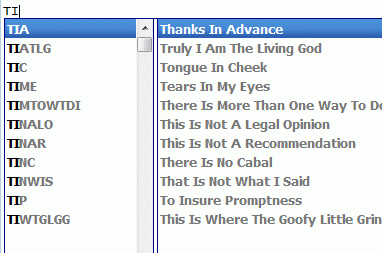
Unique application that saves typing effort by reducing number of keystrokes, by letting you choose keywords for frequently used phrases and other keystrokes. Just type in a keyword of your choice and the software will automatically replace it with the required phrase or a paragraph.
Pros: Comfort Typing makes your typing faster and easier. Keywords can be defined and the complete text that is to be entered in its place created. When a keyword is typed this whole replacement text is entered into the application with which the comfort typing is working. When frequently used standard text is to be used often, this process can save a lot of time and typing. That’s a comfort alright. Keyboard monitoring is the key to this process and this application starts the monitoring as soon as it is activated.
Changing the language or the layout for the recently typed character becomes quite easy, as is adding various macros to the text templates such as keystrokes, date, time, tags for inserting random text from a predefined list, etc. show the language flag next to the caret; show the language flag in the system tray. Paste frequently used phrases, signatures, dates, addresses, greetings, passwords, etc. Built-in multilingual word auto-complete function completes words you are typing. All the data created within the application can be protected with a strong Blowfish encryption. One can zip compression too and then any access is controlled by a strong password.
The text templates that replace key strokes can be plain text or RTF and that makes it compatible with a range of applications not only from the MS stable but Open Office set of programs too.
Cons: Only possible problem is when number of keywords grow to be large. One problem is the ability to remember them to be able to use these effectively, second is the possibility that you would use a regular word as a keyword and have confusion.
Overall a 3 star package.
User comments