


Publisher's description
SQL Server Recovery Toolbox is an efficient remedy against data corruption issues that works with all supported versions of this platform. So, your corporate database in Microsoft SQL Server format gets out of order and you do not know what should be done next? Try SQL Server Recovery Toolbox if the source database cannot be restored from scratch and its backup copy is damaged or does not exist at all. Besides, the latest modifications can be absent in your copy and it is useless anyway.
SQL Server Recovery Toolbox is the easiest program from the set of utilities, regularly used by database administrators. Unlike other ways of database maintenance, you should not get certificates and other papers notifying your computer skills, our solution is much easier than you think. To tell the truth, you can start working with SQL Server Recovery Toolbox as soon as it is installed, no need to download additional instructions and user guides. Its interface is so easy that the recovery of database files can be performed intuitively.
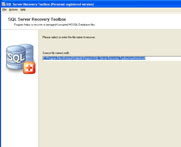
No need to worry, just select the source file of mdf format to proceed and go on by starting the parsing of selected database. Look at the status bar to make sure that the procedure is still up and running and wait for the end of database recovery. Since the size of mdf files can be very large, you may wait for the end of Microsoft SQL Server recovery for a long time. Please try to wait till the evening and initiate the recovery when other users go home. After the end of database restore you should look at the data, retrieved by SQL Server Recovery Toolbox and evaluate its efficiency.
If everything is ok and the source database was successfully retrieved and without blind spots, please register your copy of SQL Server Recovery Toolbox and prepare to save the source database beyond question. Feel free uploading the data to your MS SQL Server database or save it as a set of sql scripts.
SQL Server Recovery Toolbox is the easiest program from the set of utilities, regularly used by database administrators. Unlike other ways of database maintenance, you should not get certificates and other papers notifying your computer skills, our solution is much easier than you think. To tell the truth, you can start working with SQL Server Recovery Toolbox as soon as it is installed, no need to download additional instructions and user guides. Its interface is so easy that the recovery of database files can be performed intuitively.
No need to worry, just select the source file of mdf format to proceed and go on by starting the parsing of selected database. Look at the status bar to make sure that the procedure is still up and running and wait for the end of database recovery. Since the size of mdf files can be very large, you may wait for the end of Microsoft SQL Server recovery for a long time. Please try to wait till the evening and initiate the recovery when other users go home. After the end of database restore you should look at the data, retrieved by SQL Server Recovery Toolbox and evaluate its efficiency.
If everything is ok and the source database was successfully retrieved and without blind spots, please register your copy of SQL Server Recovery Toolbox and prepare to save the source database beyond question. Feel free uploading the data to your MS SQL Server database or save it as a set of sql scripts.
User comments