


Editor's review
Often when you open an application it may take a considerable amount of time to start working owing to the slow speed of the computer. If you want to avoid such situations and wish to have your computer work with a better speed and efficiency you need to find a solution. Probably the Power Memory Booster Free Version 5 software would just do the trick for you. Download and install it in your PC and forget your worries.
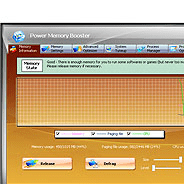
The software work like a catalyst to make your PC work faster and better. The appearance of the software is also very eye-catchy that you would never feel bored while configuring it. It contains four options for performing the function. The Power Memory Booster Free Version 5 software starts working right after the installation. The work starts up with the ‘Overview’, where you can have the look of the memory usage and the memory usage history. It also shows the percentage of the physical memory and the file pages. You can check out the performance with the option that shows the graph presentation for showing the performance. Easily perform the function of fast freeing the memory and also deep compress. The Defragment section shows the various usages like CPU, physical memory, etc and Defrag process also. You can have the advanced settings selected and choose to instantly clear the clipboard. Choose the different settings as for running the program and for the page file settings. Make the selection for specifying any application the black list or white list application. Make the proper selection for having the program work in the manner you want. You can select the suitable options and have the help file consulted at the time of requirement of any information.
The software Power Memory Booster Free Version 5 is an excellent utility for making your PC work at a fantastic speed and hence has been given 4.5 rating points. Get it and get your PC working at a faster speed than you have ever worked with.

i downloaded