


Editor's review
Usually job-profile of writers, developers, and coders include copy-pasting various text strings, which eventually turns out to be monotonous due to repetitive nature of the task. In order to get rid of this monotony and frustration, you can try taking the effectual assistance of a utility to perform the copy pasting task effortlessly. If you are yet to find such an effective tool that can serve you, then Flashpaste 4.6 could be the one for you. The utility helps you in getting rid of repetitive copy-pasting task by enabling you to use the hotkeys. The application not only helps you in copying and pasting, but can also store templates of text that is repetitively used such as email addresses, contacts, signature, html codes, phrases, etc.
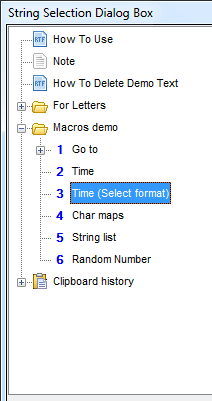
The functioning of Flashpaste 4.6 begins with configuring the hotkeys and position of the string selection box. The default keys assigned by the utility are Ctrl+U for opening the string panel, and Ctrl+O for pasting the last copied text. The program icon after installation is placed in the system tray, which also provides you the access to the string selection box. On main screen, with the left pane you can add new add folder file, or simple text content for further usage. While adding new text you can write or copy-paste it within the right side area to store it. Further, the utility comprises of Clipboard History feature, where it keep the list of all copied text strings making them available for usage anytime. Even you can add, edit or remove the templates for easy insertion of repetitive text strings. Along with these features, the utility accompanies Insert Macros option that helps you quickly insert current date and time, print, open target, access clipboard content, etc, along with letting you configure Macros Options. These and other beneficial supportive features make this application worth using for professionals whose work involves frequent use of text.
Flashpaste 4.6 allows copy-pasting text, storing and using text templates, along with creating and inserting macros effortlessly, thus making it easier for you to work with your text documents. Assigned with 3.5 rating points, the application consists of neatly structured feature-set that prompts credible performance.
User comments