


Editor's review
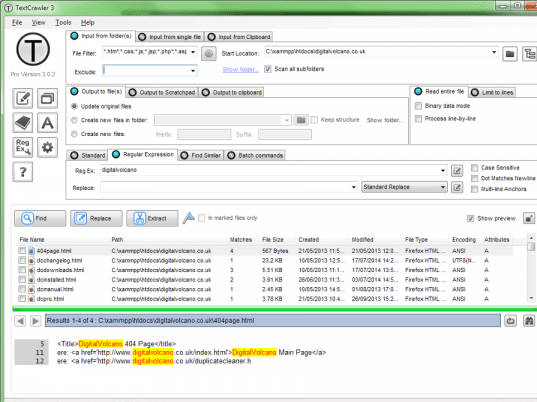
A tool for find and replace across multiple text files. Supports regular expressions and provides an expression tester, batch processing and library facility. It also features an interactive file list and highlighted search results.
Features: A tool for work with text files. TextCrawler enables you to instantly find and replace words and phrases across multiple files and folders. It utilizes a Regular Expression engine that helps you create sophisticated searches, perform batch operations, extract text from files etc. Varied search parameters could be used. To make sure the regular expressions specified are workable, the program provides a regular expression tester. Save the regular expressions that work in a library for future use. You can save the search & replace scripts too. Search results are highlighted by the program. Multiple operations can be batched to operate on a file. Search and replace results can be exported to another program.
The extract feature lets you mine of specific information from a set of files. For example you can specify a regular expression to define an e-mail address and extract these addresses. The results are displayed on a separate window and can be saved. You can specify a set of files starting with a "start location". There are couple of viewing modes. In one all the files that were searched are listed. In the second mode all files searched are displayed in preview window at the same time. The interface is simple and quite intuitive. It is easy to use.
Overall: Simple to use text processing application and is quite powerful.
User comments