


Editor's review
AutoCAD Converter is a batch converter that allows you to convert AutoCAD DWG to PDF, DXF to PDF without the need of AutoCAD.
Features: AutoCAD Converter is a batch converter that converts DWG and DXF drawings to PDF documents. You do not need to have a copy of the AutoCAD in your system to get this conversion done. In engineering activities, quite often you have suppliers, collaborators, partners with whom you need to share engineering documents. But these partners are not going to make any changes in these drawings and hence they would not have made any investments in CAD tools like AutoCAD. A PDF document that accurately publishes the underlying drawing is a good fit for such situations. This utility is compatible with all the versions of DWG/DXF that has been created so far. It supports R2.5/2.6, R9, R10, R12, R13, R14, R2000/2002, R2004/2005/2006, 2007, 2008, 2009 formats.
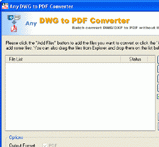
The utility is able to create and format PDF bookmarks also. You can optimize PDF output settings for print, press or the web. The interface is a simple and straightforward one. The main area is utilized to list the batch of files that are to be converted.in a batch. You select whether you want to convert DWG or DXF files. Buttons available for creating the list are add a file, add a folder, add a folder (*.DWG), add a folder (*.DXF), Remove selected and remove all. When selecting folders you can also check the checkbox to include all the sub directories too.Select the output folder path and set some options, if required and you are ready to convert. Just click on the convert button, wait for the utility to get the batch done and it`s all ready.
Overall: It is an easy to use utility addressed to engineering activities.
User comments