


Editor's review
Would you like to have software that allows you to test your website fully if it is functioning properly or not? A1 Website Analyzer 1.2.2 software tests all the important aspect of your website so that you could easily find whether there are any persisting problems. The software is worth having if you own multiple web sites as it becomes exceedingly difficult for you to keep a check on all of them.
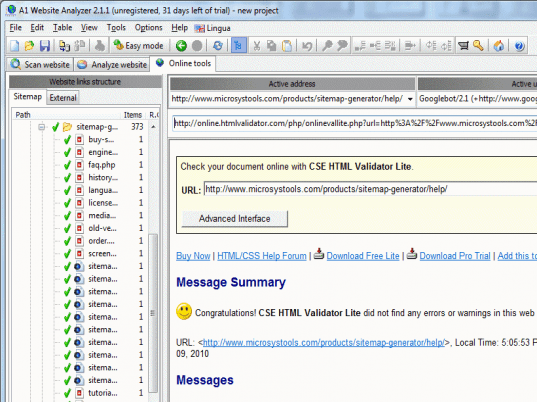
Download the software, install and get started with, it’s easier to do this as it sounds. The software has a pleasant and easy user interface so that the work doesn’t seems to be monotonous. The software has different options on the screen for the functioning. You need to make some easier selections for making the program function according to your requirements. Make the selection for paths of the website so that you have the scan and analysis done. Select the crawler engine and options for default content type, follow modes, session, simultaneous connections, etc. Set the User agent ID, HTTP proxy settings, login password, and so on. You have the pages scanned with specific file extension, and enable the required filters for and traps detection. You can also set to enable the various aspects regarding the output filters, data collection and external tools. When you’re done with the specific selection then you just need to select the ‘Start Scan’ button. For analyzing the website you need to make few of the selections according to your requirements. The screen is divided within two section and you need to make the selection for starting the analysis. There are options for making selection for collected data, view file, view source, W3C validate HTML and CSS. The software supports different languages and also has the HTML help file that gives all the details about the program.
The software has been awarded 4 points for its fantastic performance. It is worth having as you can perform all the tests for your website that can be conducted with ease and efficiency.
User comments